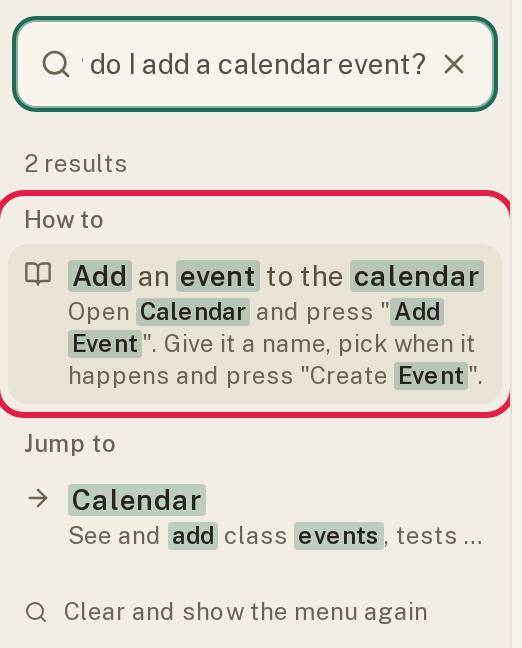
Type what you want to do into Search at the top of the left panel, or press Ctrl K (⌘ K on a Mac) on any page. Pages, settings, board tiles and these how-to answers appear as you type.
Open niimblStep by step
Click Search at the top of the left panel. Before you type, it shows "What would you like to do?", "Read a how-to guide" and a few suggestions, different each visit.
Type a word or a question, like "report cards" or "how do I add a calendar event?". Results fill the panel as you type, grouped by where they live.
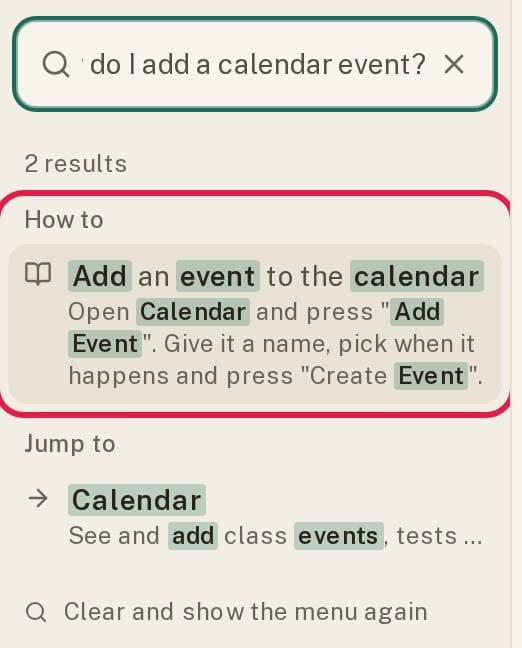
Pick a result. It opens the page and rings the spot you need; a How to answer opens its steps.
Nothing fits? Press "Tell us what you were looking for" under the results, and it reaches the people building niimbl.